


Ultimate QB: Football Legend
3.9266.00 Reviews
App Specs
- Version
- 1.4.0
- Updated On
- License
- Free
- Downloads
- 50,000+
- Developer
- Games2rk
- Categories
- Sports
- Platform
- Android
Screenshots
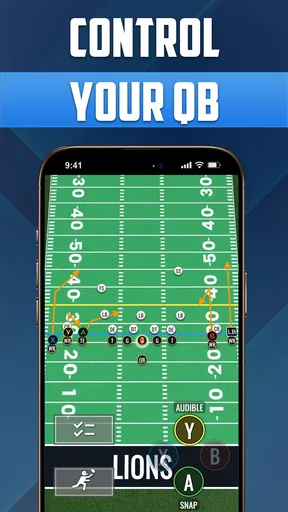
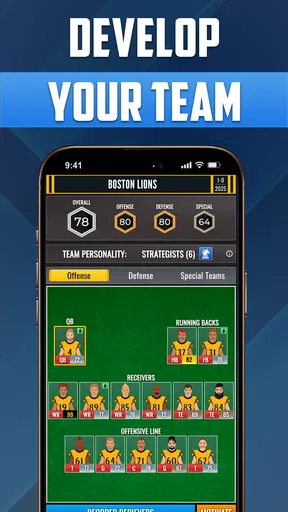
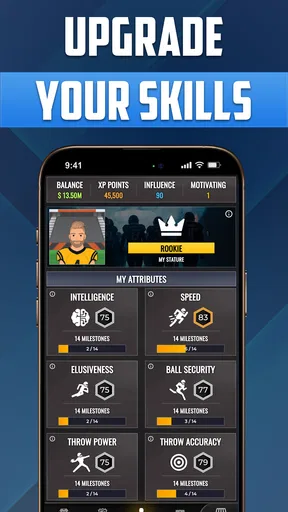
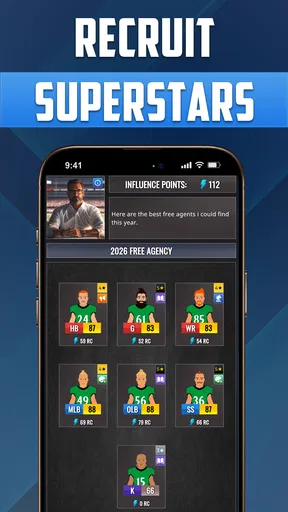
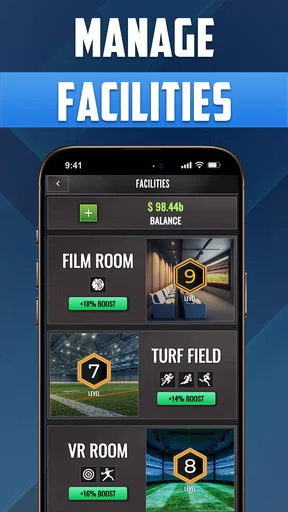
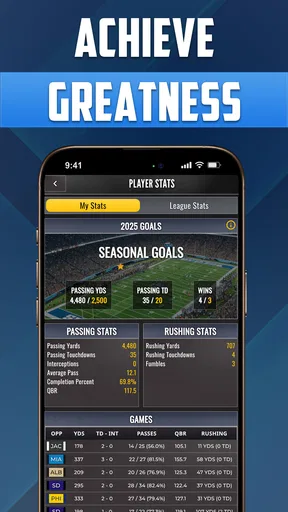
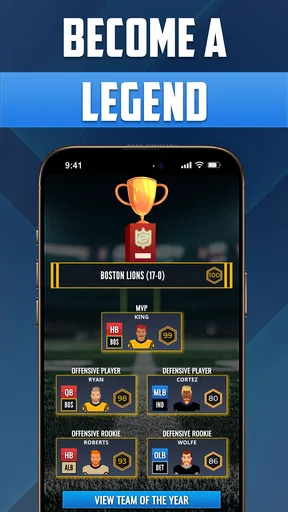
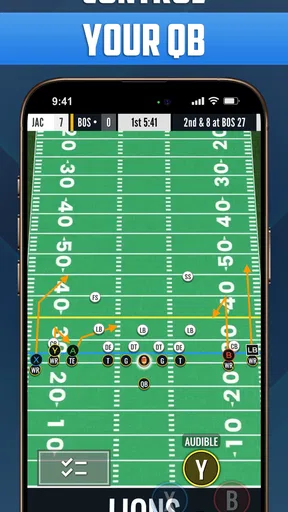
 Analysis by AppCompare
I usually think about sports games in terms of who gets to play and how much attention each match demands, and that matters even more when a phone or tablet is shared. Ultimate QB: Football Legend is a quarterback-focused sports game from Games2rk, built around calling plays and guiding a player’s football career. Its basic appeal is easy to explain to someone else in the household: one person can take the lead on the field, while another can watch, suggest a choice, or wait for a turn. I’d treat it as a casual game to explore together, rather than assume it has dedicated family or shared-account features.
Taking turns on a shared screen
A realistic way to use it at home is to play a short stretch during a break, then hand the device to someone else for their own turn or let them help decide what kind of play to call. The quarterback perspective gives spectators something concrete to discuss: should the next decision be cautious, or is this the moment to try a bigger play? That makes it easier for a football fan to explain the choices to a newcomer than it would be in a game built around managing an entire team at once.
There is a trade-off, though. If everyone expects a separate profile, a clean handoff between players, or a way to keep individual progress apart, I would check how the game behaves on the device before making it a regular shared activity. A shared screen can work for casual turns, but it is not the same thing as separate household accounts. I would avoid letting someone else make changes to a long-running save unless everyone is comfortable with that possibility.
Keeping play and spending boundaries clear
The game is free to download, but it includes optional in-app purchases, with items ranging from $1.99 to $24.99. That is worth discussing before handing a device to a child or anyone who can make purchases through the household account. I would check the device’s purchase settings and agree on a simple rule first: play is fine, but spending needs the account holder’s approval. That advice is about managing the device, not a claim that the game provides its own spending controls.
For a shared phone, another useful boundary is deciding whose turn it is to make progression choices. The appeal of improving a quarterback can make those choices feel personal, even when the game is being passed around. If one player cares about building a particular style and another likes experimenting, it may be better to take turns without changing each other’s choices casually. That small bit of coordination can prevent a friendly session from turning into an argument over someone else’s progress.
Age, expectations, and trust
The content rating is Everyone, so its listed age suitability is broad. I would still use ordinary judgment about the person playing, their comfort with sports action, and the way purchases are handled on the device. An age label is useful context, but it does not replace a quick look at the game together or a conversation about what spending is allowed.
In my view, the best household fit is a player who enjoys making decisions and is happy to learn by trying them. Someone who mainly wants a hands-off sports spectacle may not get as much from being responsible for the quarterback’s choices. And if the household wants a game designed specifically for multiplayer competition or separate family profiles, I would look for one that clearly offers those features rather than treating this one as a substitute.
Worth Reading Before You Choose

EA SPORTS FC Mobile 26 Is a Bigger Football Game, but It Takes Time

Flipboard Shows What News Apps Must Do Beyond the Feed

Switching to Android Auto Means Rethinking Your Driving Routine

Google Calendar Makes a Crowded Week Easier to Manage

Ludo King Makes the Most of the Minutes Between Plans

Baby Panda World Brings Quick Play to Modern Phones, but Its Game Library Feels Busy
What the numbers tell me—and what they don’t
It has an average rating of 3.9 from around 700 ratings, with more than 200 written reviews and over 10,000 installs. I take that as a sign that there is a real audience for the game, not proof that every player will enjoy its particular mix of football decisions and progression. The game is free, its content rating is Everyone, and the current version is 1.2.5; it runs on Android 7.0 and later. Those details make it straightforward to assess basic compatibility, while the actual feel of the game is still best judged by trying its on-field decisions.
Get Ready to Call the Shots
As soon as you launch Ultimate QB: Football Legend, you’re thrown right into the heart of the game. The setup is simple yet immersive. You start as a rookie QB with dreams of leading your team to victory. The interface is intuitive, making it easy for both seasoned gamers and newcomers to get the hang of the controls. You’re not just playing; you’re strategizing, leading, and making split-second decisions that could turn the tide in your favor.
Gameplay that Keeps You on Your Toes
The game mechanics are what really hooked me. You’re in command of every play, choosing from a variety of formations and strategies that mimic real-life football scenarios. The graphics are surprisingly sharp for a mobile game, with detailed animations that capture the intensity of the sport. Whether you’re dodging a blitz or launching a perfect spiral to your wide receiver, every play feels dynamic and engaging.
One cool feature is the option to customize your quarterback. From adjusting your player’s skills to selecting their gear, you can tailor your QB to fit your play style. And trust me; there’s something incredibly satisfying about watching your custom quarterback climb the ranks and become a legend in their own right.
Progression and Challenges
The progression system in Ultimate QB: Football Legend is well thought out. As you advance through the ranks, you unlock more complex plays and face tougher opponents. The difficulty ramps up nicely, ensuring that you’re always challenged but never overwhelmed. The game strikes a perfect balance between fun and realism, keeping you engaged without feeling like you need to study a playbook.
Challenges and achievements add another layer of depth, giving you objectives to aim for beyond just winning games. Whether it’s achieving a certain number of passing yards or completing a flawless game, these goals provide a satisfying sense of accomplishment.
Soundtrack and Audio Experience
Now, let’s talk about the audio. The sound effects are spot on. The roar of the crowd, the crunch of tackles, and the crisp snap of a perfect pass all come together to create an immersive football experience. The soundtrack amps up the adrenaline, making every game feel like an epic showdown. It’s one of those subtle details that truly elevates the overall experience.
Who Will Love This Game?
If you’re someone who’s passionate about football, or even if you just enjoy a good strategy game, this app has something to offer. It’s easy to pick up but challenging enough to keep you coming back for more. The combination of strategic gameplay, customization options, and thrilling on-field action makes it a standout in the sports game genre.
Even if you’re not a hardcore sports fan, the game’s engaging mechanics and satisfying progression system can make a football enthusiast out of anyone. It’s perfect for those moments when you need a quick gaming fix or when you want to dive into a more extended session of strategic play-calling.
In conclusion, Ultimate QB: Football Legend scores big with its engaging gameplay, realistic mechanics, and immersive audio-visual presentation. It’s a game that not only captures the excitement of football but also lets you live out the dream of being a quarterback legend. If you haven’t tried it yet, now’s the time to lace up your virtual cleats and hit the field. You won’t be disappointed.
Where it fits among mobile sports games
What I’d compare it with is not a full team-management sim, but the familiar alternatives people reach for when they want sports on a phone: a quick arcade match, a broader football game, or a strategy-heavy title focused on rosters and seasons. This one leans into the quarterback’s decisions, so its strongest draw is the feeling of choosing how an attack unfolds rather than overseeing every part of a club. That focus can make it more approachable for someone who wants a clear role, but it may feel narrow to a player who wants control over defense, transfers, or a complete team.
That difference also helps set expectations. If what you enjoy most is learning play choices and seeing a quarterback develop, the focused perspective is a plus. If you want fast reflex challenges with little planning, or a deep simulation with lots of management screens, another sports game may suit you better. I would choose based on whether the act of calling the offense sounds fun in itself, not just on whether the game has football in its name.
A practical way to learn the game
When I’m learning a play-calling game, I try not to change too many things at once. I’d begin by paying attention to which decisions lead to comfortable results, then adjust the quarterback’s skills or gear with a specific play style in mind. That makes customization more meaningful than simply changing options because they are available. It also gives a newer player a way to notice cause and effect without needing to memorize a real-world playbook.
A useful routine is to treat challenges as practice targets rather than chores. If an objective asks for a particular kind of performance, it can give a session a purpose beyond winning, but I wouldn’t chase every goal at once. Focus on one aim, see whether the game’s controls feel natural, and then decide whether you want a longer session. The progression loop is appealing, yet it will be less satisfying for someone who dislikes working toward incremental unlocks.
Choosing the right moment to play
For an everyday scenario, I can picture opening it while waiting for a ride or during a quiet break, making a few decisions, and putting the phone away when I’m done. On a shared tablet, it also suits a relaxed evening when one person plays and another follows the calls. I would not pick it for a group that wants everyone actively competing at the same time; the quarterback-centered setup makes it more naturally suited to taking turns or watching than to a party-style match.
If you are deciding whether it is a good fit for a child, I’d consider patience as much as the Everyone rating. A child who likes sports and enjoys making choices may find the role engaging, while someone who wants constant action may lose interest when decisions and progression take center stage. For an adult new to football games, the same focus can be a gentle entry point, though the satisfaction depends on enjoying the tactical side rather than only the spectacle.
Compatibility and purchase checks
The game was released on May 15, 2025, and is developed by Games2rk. Since it requires Android 7.0 or later, I’d check the operating system on an older spare phone before planning to use it as a household game. That simple check avoids the frustration of setting aside a device only to find it does not meet the minimum requirement. Its free entry point makes trying it less of a commitment, but optional purchases are still a reason to keep the account holder involved.
I’d also make a distinction between trying the game and deciding it deserves a place in a shared routine. A first session can tell you whether the pace and quarterback role appeal to you; a few sessions reveal whether the challenges and development keep your interest. If the game becomes a regular choice, agree on whose progress is being used and who approves purchases. Those are ordinary household habits, but they matter more than any assumption that a mobile game will automatically handle account boundaries for you.
My household verdict
For a household looking for an accessible football game to pass around casually, I think this is a reasonable option if everyone understands that it is centered on one quarterback’s decisions and progress. I like the combination of play-calling, customization, and goals because it gives each session a clear thread. Its best audience is someone who wants to think a little while playing, not someone seeking a complete football management package or a multiplayer competition for a group.
I’d recommend giving it a try if you enjoy offense-focused strategy and are comfortable setting simple boundaries around shared progress and purchases. I’d skip it if separate profiles, direct head-to-head play, or broad team control are essential to your choice. For me, that is the fairest way to judge it: an engaging mobile sports game with a specific quarterback-led appeal, and a better household fit when expectations are clear before the phone changes hands.
Pros
- Intuitive controls make gameplay easy to learn.
- Realistic graphics enhance the football experience.
- Diverse play modes keep users engaged.
- Regular updates add fresh content and features.
- Online leaderboards foster competitive spirit.
Cons
- In-app purchases can become expensive.
- Occasional lag during high-intensity plays.
- Limited customization for player avatars.
- Requires constant internet connection.
- Advertisements can be intrusive at times.
FAQs for Ultimate QB: Football Legend
What is Ultimate QB: Football Legend?
Ultimate QB: Football Legend is a dynamic and engaging sports simulation game available for Android and iOS. Players take on the role of a quarterback, making strategic decisions to lead their team to victory. The game combines realistic graphics with intuitive controls, offering an exciting experience for football enthusiasts.
What are the key features of Ultimate QB: Football Legend?
The game offers a range of features including realistic gameplay, customizable characters, and strategic play-calling. Players can engage in various modes such as career, multiplayer, and challenges. The game also includes leaderboards and achievements to enhance competitiveness and replayability.
Is Ultimate QB: Football Legend free to play?
Yes, Ultimate QB: Football Legend is free to download and play. However, it includes in-app purchases for players who wish to enhance their gaming experience with additional features, customizations, or to advance more quickly. Players should be aware of these optional purchases before downloading.
Can I play Ultimate QB: Football Legend offline?
The game requires an internet connection for certain features like multiplayer mode and leaderboards. However, there are offline modes where players can enjoy single-player challenges and career progression without needing to be connected to the internet.
What devices are compatible with Ultimate QB: Football Legend?
Ultimate QB: Football Legend is compatible with both Android and iOS devices. The game requires Android 5.0 or higher and iOS 10.0 or later. For the best experience, it’s recommended to play on devices with a decent amount of RAM and processing power to handle the game’s graphics and features smoothly.


